
Read and listen on iPhone and iPad
Read EPUB books, listen to PDFs and save web articles with LeafRead for iPhone and iPad. Keep your library and reading position in sync.
Download on the App StoreFree for iPhone and iPad. Requires iOS or iPadOS 17 or later.
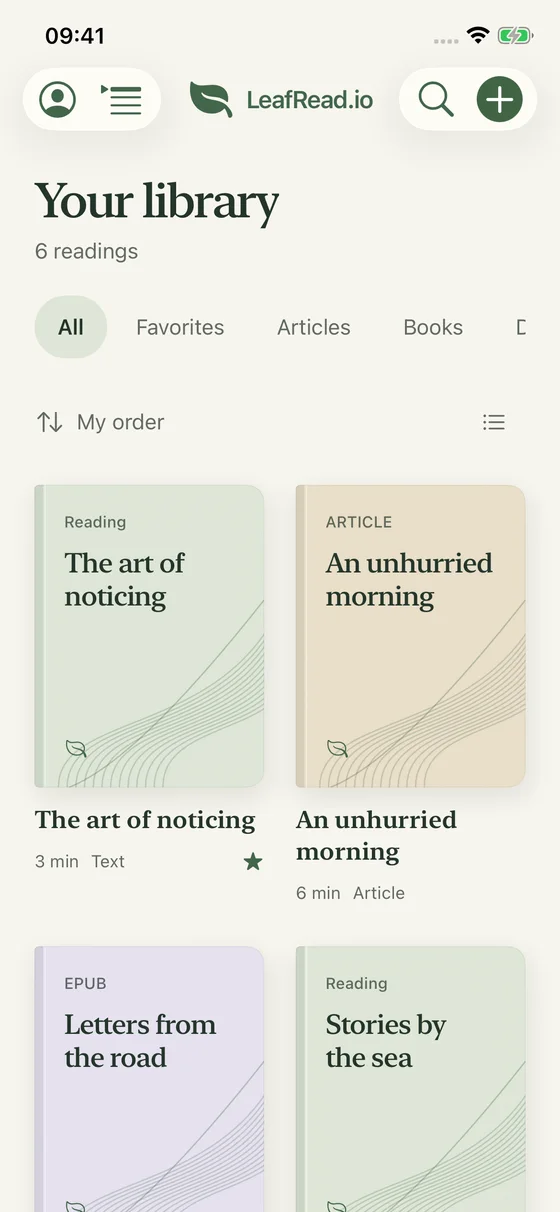
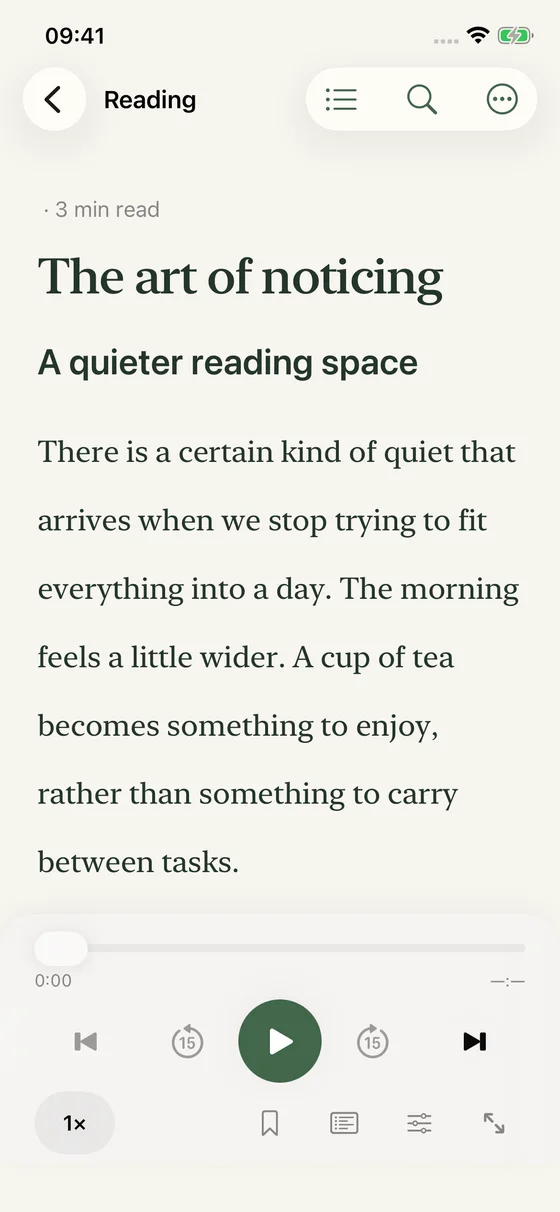
Your reading library, ready for the smaller screen
LeafRead for iPhone and iPad brings your articles, EPUB books and documents into one place. Open a reading during a quiet moment, listen when you would rather put the screen away and return to the passage you left. Your material stays connected to its notes and saved position.
The app is free and requires iOS or iPadOS 17 or later. Sign in with the same LeafRead account you use on the web to access your existing library. Start with one familiar article or chapter so you can choose the text settings and listening pace that suit your phone or tablet.
Open an EPUB, PDF or Word document from Files
Choose a supported document from Files or send it to LeafRead through the iOS share sheet. For an ebook, use a DRM-free EPUB with reflowable text. For a PDF, start with a file containing selectable text; Word documents should use the DOCX format.
Once the import is ready, check its title and opening paragraphs. The reading view adapts the text to the screen instead of preserving a fixed page layout. You can make the type larger for an iPhone or choose a comfortable column width for a longer session on iPad.
Save a Safari article for later
When you find a public article in Safari, share it to LeafRead or add its link in the app. The saved reading contains the main text, giving you a place to return without keeping the browser tab open. Check the imported article if the original relies on interactive elements or complex formatting.
Save a few articles about the same subject and organize them in your library. A practical routine is to collect material when you discover it, then choose one reading when you have time to focus. You can continue with the same article in your browser when you are back at your desk.
Listen with the screen locked
Select a sentence in a saved reading and start text to speech. The sentence highlight helps you follow the audio when the page is visible. When you lock the screen, playback controls remain available from the Lock Screen, so listening does not require keeping the text in view.
Adjust playback speed to the material, and use a sleep timer for a session you want to end automatically. For a new subject, begin with a short passage at a comfortable pace. Pause to make a note or check a detail, then continue from the text rather than searching through a separate recording.
Prepare text and audio before going offline
Download a reading to keep its text on the device. If you also want to listen without a connection, prepare and download the audio in your selected voice. Saving text alone does not make the complete spoken version available offline.
Before a trip, open the reading you plan to use and check that its downloads have finished. Preparing new audio and synchronizing your library need internet access. A short trial while offline is a useful way to check your own setup before relying on it for a longer journey.
Move between iPhone, iPad and the web
Your library, notes and saved reading position are associated with your LeafRead account. Use the same account on each device so the chapter you began on a laptop can be continued on your phone. If devices have different saved positions, you choose the one to resume.
Keep an important passage as a highlight and add your thought while it is fresh. Later, open it again with the surrounding text on a larger screen. This gives short mobile reading sessions a place in the same reading history as longer sessions at home.
Questions about the iPhone and iPad app
Do I need to import my web library again?
No. Sign in with the same LeafRead account to access your saved readings. Downloads are prepared on the device where you want to use them offline, so check those separately before leaving your connection.
Is listening included for free?
Yes. The website and app share a daily allowance of 350,000 newly generated characters per account. Replaying cached audio does not use new characters. Check the usage information in Settings when preparing a long book for listening.
Can I read EPUB books on both iPhone and iPad?
Yes, with a supported DRM-free, reflowable EPUB. Import the book, choose the text size you prefer on each screen and use the contents to navigate chapters. Your saved position gives you a place to continue when you switch devices.